
Using CRM software the right way means setting clear goals first, entering data in a consistent format, breaking your sales process into stages, and making sure your team follows that structure every day. CRM (Customer Relationship Management) software brings customer and prospect information, conversation history, and sales opportunities together in one place. How you use the tool matters as much as the tool itself: data entered haphazardly soon turns into a "data graveyard" nobody opens. In this guide, we walk through a practical six-step system for small teams, from the first form submission all the way to the quote.
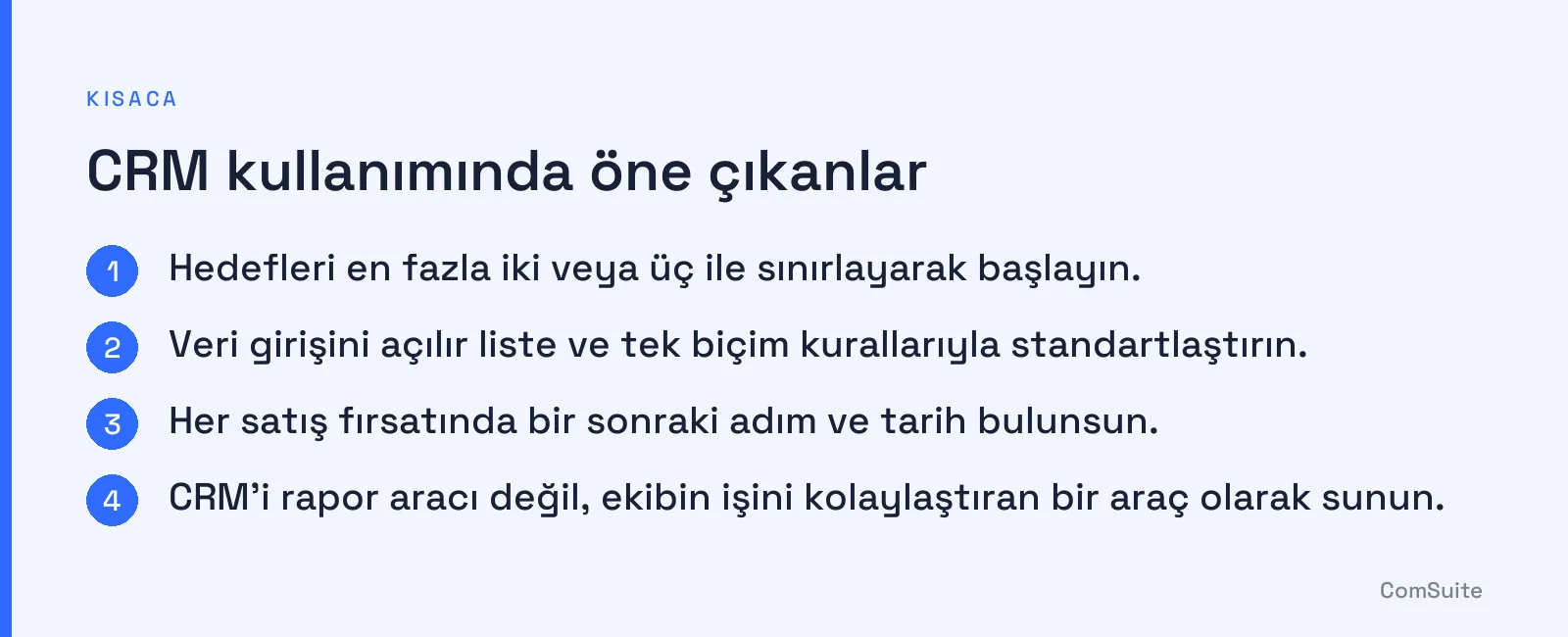
What is CRM software, and why does using it correctly matter?
A CRM is a system that records every customer touchpoint (form, phone call, email, quote) and helps you turn those records into sales decisions. When it isn't set up properly, three problems show up again and again:
- Duplicate records pile up for the same customer, and team members don't know about each other's conversations.
- Sales opportunities go unfollowed, and quotes get "forgotten."
- Reports are unreliable, so management doesn't trust the CRM to make decisions.
Industry research frequently points out that when CRM projects fail, user adoption and data quality matter more than the technology itself. For small teams, the fix usually isn't advanced features; it's applying a few simple rules consistently.
Step 1: What goals should you set before you start using a CRM?
First, write down an answer to the question "What problem are we solving with a CRM?" A setup without goals produces a system cluttered with pointless fields that nobody fills in. Reasonable starting goals for small businesses include:
- Zero lost leads: Every inquiry from your website form gets logged and assigned an owner.
- Faster response times: Set an internal target for the first reply.
- Visibility into quote-to-sale conversion: Be able to measure how many quotes actually close.
- More repeat sales: Follow up with existing customers at the right time.
Pick no more than two or three goals at a time. Once your goals are clear, deciding which fields are required and which are optional becomes easy.
Step 2: How do you standardize CRM data entry and prevent dirty data?
Dirty data means duplicate, incomplete, or inconsistently entered records, and it's the most common CRM problem. The way to prevent it is not to leave data entry up to individual judgment. Put these rules in writing:
- Keep required fields to a minimum: Name, phone or email, source, and owner are usually enough. Too many required fields push the team to enter meaningless data.
- Use dropdowns instead of free text: You don't want three different spellings like "Web," "website," and "site" in the "Source" field.
- Set a formatting standard: Phone numbers, company names, and job titles should all follow a single format.
- Check for duplicates: Make it a habit to search by email or phone before adding a new contact, and run a merge pass once a month.
- Assign data owners: Every record should have someone responsible for it.
For records containing personal data, don't forget your disclosure and retention obligations. For details, see our article KVKK for Websites: Privacy Notices, Cookie Policies, and What's Required in 2026; it's also wise to get legal advice for your compliance processes.
Step 3: What stages should your sales process have in the CRM, and how should you track them?
A sales pipeline is the visual sequence of stages an opportunity moves through, from first contact to close. For small teams, 5 to 6 stages are usually enough. Here's an example structure:
| Stage | Definition | Exit criteria |
|---|---|---|
| New lead | First contact via form, phone, or message | First reply sent |
| Qualification | Needs, budget, and timeline discussed | Confirmed as a good fit |
| Quote preparation | Scope and pricing being finalized | Quote sent |
| Quote follow-up | Customer is evaluating | Decision made |
| Won / Lost | Outcome recorded | Loss reason entered |
Every stage needs written exit criteria; otherwise, opportunities move forward arbitrarily. Every opportunity should also have a "next step" and a date. An opportunity without a date is usually a forgotten one. Making a loss reason mandatory for lost deals will, over time, give you a real answer to the question: was it price, timing, or a competitor?
Step 4: How should you handle customer records, tagging, and segmentation?
Tagging is the simplest way to group records by shared characteristics; segmentation is using those groups for targeted communication. Keep the number of tags low at first. Suggested dimensions:
- Source: Web form, phone, social media, referral.
- Interest: Which product or service they're interested in.
- Customer status: Prospect, active customer, former customer.
- Value: Small, medium, or large account.
Keep all tags in a single list and stop the team from inventing new ones on the fly. Keeping happy customers in their own segment pays off when it's time to ask for reviews or referrals; for guideline-compliant methods, check out our guide on how to get more Google reviews.
Step 5: How do you get your team to adopt the CRM?
The most effective way to drive adoption is to position the CRM not as a "tool for reporting to management" but as a tool that makes the team's job easier. Methods that work:
- Single source of truth rule: Adopt the principle "If it's not in the CRM, it didn't happen," and don't let quotes or call notes live anywhere else.
- Short, role-based training: Don't teach everyone every feature; teach each person the 3-4 actions that affect their own work.
- Permissions: Let salespeople edit their own records, but limit deleting, exporting, and bulk actions to a few people. This supports both data security and consistency.
- A weekly 15-minute review: Discuss pipeline opportunities straight from the CRM screen so the team sees the data actually being used.
- Stay open to feedback: Removing fields nobody fills in boosts adoption.

Step 6: Which tasks should you automate with workflows and reminders?
Automation means handing repetitive, rule-based work over to the system. Automate the tasks that are easy to forget, not the ones that require human judgment:
- Notify the owner and create a first task when a new form submission comes in.
- Send a follow-up reminder a few days after a quote goes out.
- Flag opportunities that have been inactive for a set period.
- Send a thank-you email or create an onboarding task when a customer is won.
Don't overdo automated messages; conversations that need a personal touch should be handled by people. Start with 3-4 simple rules, monitor the results, then expand.
Integrations: Why do email, calendar, and other tools matter?
Integration means your CRM exchanges data with other tools, which eliminates double entry. The usual order of priority looks like this:
- Website forms: Inquiries should land directly in the CRM without being copied over by hand.
- Email: Correspondence should show up on the related record.
- Calendar: Meetings and calls should be tracked as tasks.
- Live chat and chatbots: Contacts from chat should be created as records automatically.
If you sell online, your platform choice also affects your CRM workflow; our article What are the most affordable e-commerce platforms for small businesses? can give you some ideas.
What are the most common CRM mistakes, and how do you fix them?
| Mistake | Result | Fix |
|---|---|---|
| Too many required fields | Meaningless data, low usage | Only require fields needed for decisions |
| No stage criteria | Bloated, unreliable pipeline | Write exit criteria for every stage |
| No next step entered | Forgotten opportunities | Attach a dated task to every opportunity |
| Old records never cleaned up | Inaccurate reports | Archive and merge every three months |
| Everyone can edit everything | Inconsistency, data loss | Role-based permissions |
Which KPIs should you use to measure CRM performance, and how should you read them?
A KPI (key performance indicator) is a measurable metric that shows progress toward a goal. For a small team, these five indicators are usually enough:
- First response time: The time between an inquiry and the first reply.
- Stage-to-stage conversion rate: Shows where in the funnel you're losing opportunities.
- Quote win rate: The ratio of won quotes to quotes sent.
- Average sales cycle: The time from first contact to close.
- Revenue by source: Shows which channel brings in valuable customers.
Don't draw conclusions from a single month; track the trend over several periods. For example, if there's a drop between qualification and quotes, the problem is probably your qualifying questions; a drop after the quote points to pricing or follow-up discipline. The numbers only mean something if data entry is consistent. That's why reporting is the reward for the discipline in Step 2.
How do you make CRM usage sustainable?
- Create a one-page CRM user guide for new hires.
- Review fields, tags, and stages every three months.
- Run a monthly data quality check for duplicate, unowned, and outdated records.
- Accept that your process may change as your business changes; adapt the system to your workflow, not the other way around.
Conclusion: A checklist for using your CRM the right way
Using a CRM well is more about consistent habits than advanced features. Before you start, run through this checklist:
- Are my goals written down, and are there three or fewer?
- Are required fields and dropdown lists defined?
- Are the exit criteria for each sales stage clear?
- Does every opportunity have a dated next step?
- Are tags limited and drawn from a shared list?
- Have roles and permissions been defined?
- Are the basic automations (new lead, quote follow-up) in place?
- Are KPIs tracked on a weekly or monthly schedule?
For small teams that want to manage inquiries from website forms all the way through the quote process in one place, ComSuite's CRM and quote management solution is one option for putting this six-step system in place.
Frequently Asked Questions
What is CRM software?
CRM software is a tool for managing customer relationships. It collects and analyzes customer data and helps businesses serve their customers better.
How should small businesses choose CRM software?
When choosing CRM software for a small business, define your needs, keep your budget in mind, and favor options with a user-friendly interface.
How can I use CRM software correctly?
To use CRM software correctly, start by entering your data consistently, train your team members, and take advantage of the software's features.
What are the benefits of CRM software?
CRM software increases customer satisfaction, speeds up sales processes, and improves efficiency, helping your business grow.
What should you watch out for when using CRM software?
When using CRM software, pay attention to data security, keep it regularly updated, and take user feedback into account.
Which features matter most in CRM software for small businesses?
For small businesses, key CRM features include a user-friendly interface, mobile access, and reporting and analytics tools.