
The seven most important criteria when choosing real estate CRM software are: keeping listing and client data in one place, listing portal and website integrations, lead tracking, automation and reminders, reporting, data security and KVKK processes, and pricing that fits your team size. Real estate CRM software is a customer relationship management tool that manages a real estate office's listings, buyer and seller records, conversation history, and appointments in a single dashboard. This guide offers a practical checklist your office can use before making a purchase decision.
What Is Real Estate CRM Software? Core Definition and Scope
CRM (Customer Relationship Management) is the general name for software that records and tracks customer relationships. Unlike a general-purpose address book, a CRM tailored to the real estate industry also stores property-specific data: apartment, land, and commercial listings, budget range, preferred area, number of rooms, floor, and payment preferences.
In terms of scope, a good real estate CRM answers three questions:
- Which listing is with whom, and at what stage?
- What is each prospective buyer looking for, and when were they last contacted?
- Who were the inquiries from website forms, phone calls, or listing portals assigned to?
Why Do Real Estate Offices Need a CRM?
The short answer to whether a small real estate office needs a CRM: it becomes necessary the moment you start managing several listings and dozens of prospective buyers at the same time. Excel spreadsheets, WhatsApp notes, and notebooks may seem sufficient in the first few months, but as demand grows, the following problems appear:
- Leads that never get a follow-up are lost.
- Listing information stays scattered across agents' phones.
- When an agent leaves, the client history leaves with them.
- You can't measure which channel actually brings in inquiries.
The core benefit of a CRM is that it turns this information into a searchable asset that belongs to the office, independent of any individual. For the general logic of using a CRM, you can also check out our article How to Use CRM Software Correctly: 6 Steps for SMBs.
What Are the Core Features of Real Estate CRM Software?
The core features a real estate CRM should have are the ones that directly simplify daily work. What matters is not the length of the feature list, but how well it fits your office's workflow.
- Contact and client cards: Contact details, inquiry details, notes, and conversation history.
- Listing records: Photos, location, price, status (active, on option, sold), and owner information.
- Inquiry-to-listing matching: The ability to see listings that match a buyer's criteria.
- Task and appointment calendar: Showing schedules and call planning.
- Quote management: Tracking the quotes you send and their statuses.
- Mobile access: Critical for agents working in the field.
- Permission and role management: Who can view and edit what.
7 Criteria to Consider When Choosing a Real Estate CRM
The table below offers a quick checklist your office can use during evaluation.
| Criterion | Question to ask |
|---|---|
| 1. Integration | Does it connect with your website, phone, and listing sources? |
| 2. Data security | Can access permissions, backups, and deletion requests be managed? |
| 3. Listing management | Can listings and inquiries be matched on the same screen? |
| 4. Lead tracking | Are incoming inquiries automatically recorded and assigned? |
| 5. Automation | Can reminders and follow-up tasks be set up? |
| 6. Reporting | Can you get reports by source, agent, and stage? |
| 7. Pricing and licensing | Does it scale with the number of users? |
Integration Capabilities (Listing Portals, Website, Phone)
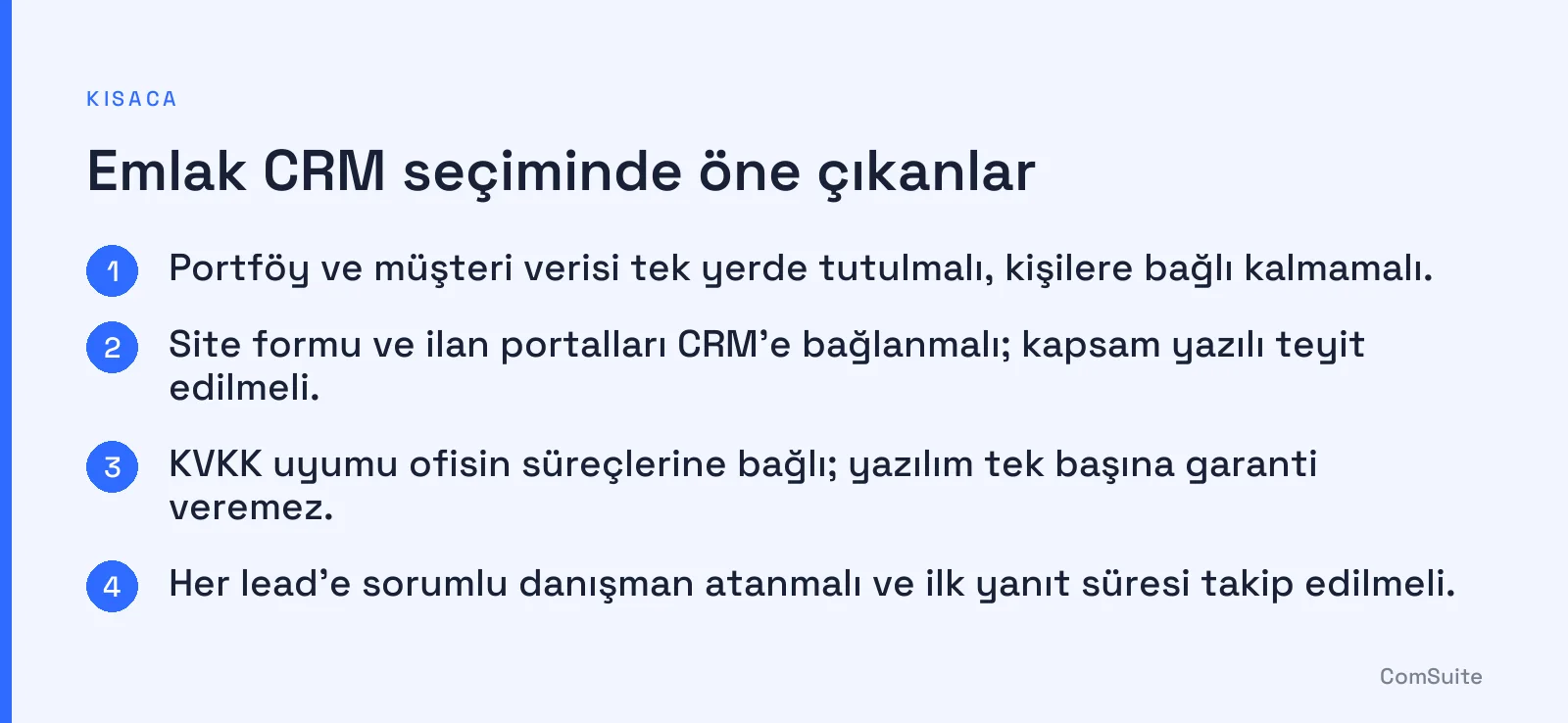
The first integration to look at when choosing a real estate CRM is the forms on your website. Every inquiry from your site should land directly in the CRM instead of being copied over by hand. Then ask about the following:
- Website forms: Do the contact and "get information about this listing" forms create records automatically?
- Phone and messaging: Do call history or live chat conversations show up on the client card?
- Listing portals: Can inquiries from portals be imported? Since the scope of this integration varies by software and portal policies, confirm it in writing before you buy.
- Email and calendar: Do appointments sync with your existing calendar?
Your website itself is part of this chain. Real estate and construction website solutions help you plan listing pages and the form flow together with your CRM.
Data Security and KVKK Compliance
The honest answer to whether real estate CRM software is KVKK-compliant: compliance is the result not only of the software, but also of the processes of the office that handles the data. Under Law No. 6698 on the Protection of Personal Data (Turkey's data protection law, KVKK), the data controller is usually your office; the software is a tool that makes it easier to fulfill those obligations. No software can guarantee full compliance on its own.
Ask the following before you buy:
- Where is the data stored, and what is the backup policy?
- Are there role-based access controls and activity logs?
- How is a request to delete or export a person's data handled in practice?
- Can you add a privacy notice and an explicit consent link to web forms?
- Is SSL used for connection security?
Portfolio Management and Lead Tracking
A lead is a potential customer who has expressed interest through any channel. In real estate, a lead's value drops quickly; first response time and follow-up discipline make the difference. Setting up your CRM lead flow in this order works well:
- Always record the lead source (website form, phone, listing portal, referral).
- Assign a responsible agent to every lead.
- Keep the stages simple: new, contacted, property shown, quote, closed/lost.
- Note the reason for every lost lead; this data informs pricing and portfolio decisions in later periods.
On the portfolio side, being able to quickly list properties that match a buyer's criteria keeps agents from feeling unprepared, whether on the phone or out in the field.
Automation, Reminders, and Reporting
Automation reduces the risk of things slipping through the cracks by turning repetitive tasks into rules. Examples:
- Sending a notification to the agent when a new lead arrives.
- Creating a call task for the next day after a property showing.
- Alerting you to properties or inquiries that have gone untouched for too long.
When it comes to reporting, views that answer a few clear questions are more valuable than complex dashboards: Which source brings in the most inquiries? At which stage are you losing leads? What are the response times by agent? And if you use AI-powered live chat on your website, passing conversations into your CRM strengthens the process; we compared the approaches in live chat software: human, AI, or hybrid?
How Do Real Estate CRM Prices and Licensing Models Vary?
Prices vary by provider, number of users, and scope, so quoting a fixed figure would be misleading. The common licensing models are as follows:
| Model | How it works | Best for |
|---|---|---|
| Per-user subscription | Monthly/annual fee for each agent | Small and mid-sized teams |
| Plan-based | A set number of users and features in a fixed plan | Mid-sized offices |
| Enterprise/custom quote | Custom pricing based on usage and integrations | Multi-branch organizations |
When comparing, ask separately about setup, data migration, support, and add-on module fees. It's also a good habit to find out whether a trial is available before signing an annual contract.
Use Cases for Small, Mid-Sized, and Enterprise Teams
- Small office (1-3 people): Simplicity comes first. Contact cards, a property list, tasks, and website form integration are often enough.
- Mid-sized office (4-15 people): Lead assignment, role permissions, agent-level reports, and a shared property pool take center stage.
- Enterprise (multi-branch): You need branch-level permissions, centralized reporting, custom integrations, and audit logs.
From Setup to Efficiency: Implementation Steps
There's no clear-cut answer to how long it takes to adapt a real estate CRM for an enterprise team; the timeline depends on the volume of data, the number of integrations, and how quickly your team adapts. Small teams can often get started quickly, while a phased rollout is healthier for multi-branch organizations. Recommended steps:
- Write down your goal: For example, "all website inquiries get a response within 1 hour."
- Clean your data: Remove duplicate records and tidy up old lists before migrating.
- Keep fields simple: The more required fields you add, the less data gets entered.
- Start with a pilot: Try it with a small group first.
- Provide training: Run short, field-focused sessions.
- Review weekly: Remove unused fields and improve your processes.
Common Mistakes and How to Avoid Them
- Getting swayed by feature overload: Don't pay for modules you won't use; list your must-have needs first.
- Leaving integration for last: Test the website and phone connections before you buy.
- Not involving the team: If agents don't use it, even the best CRM sits empty.
- Leaving KVKK compliance to the software: The privacy notice, retention period, and access permissions are the office's responsibility under Turkey's data protection law (KVKK).
- Not recording the reason for lost leads: You miss a chance to learn.
How Can You Move Forward with ComSuite?
You can explore ComSuite's CRM solution, which lets you build a website without writing code and manage your website forms together with your CRM, and compare it against your office's needs. In general, testing the seven criteria above with your own real data during a trial is the most reliable way to make the right decision.
Frequently Asked Questions
What is real estate CRM software?
Real estate CRM software helps real estate offices manage customer relationships, track sales processes, and analyze data.
What should I look for when choosing real estate CRM software?
When choosing real estate CRM software, look at criteria such as a user-friendly interface, integration options, customer support, pricing, features, and security.
What features should real estate CRM software have?
It's important for real estate CRM software to include core features such as customer management, automated marketing, reporting tools, mobile access, and data security.
How much does real estate CRM software cost?
Real estate CRM software prices vary by features and provider; it is usually offered on a monthly subscription model.
What are the benefits of using real estate CRM software?
The benefits of using real estate CRM software include time savings, higher customer satisfaction, faster sales processes, and better data analysis.
How is real estate CRM software integrated?
Real estate CRM software generally offers API support for integration with existing systems, so it can easily connect with other software and platforms.