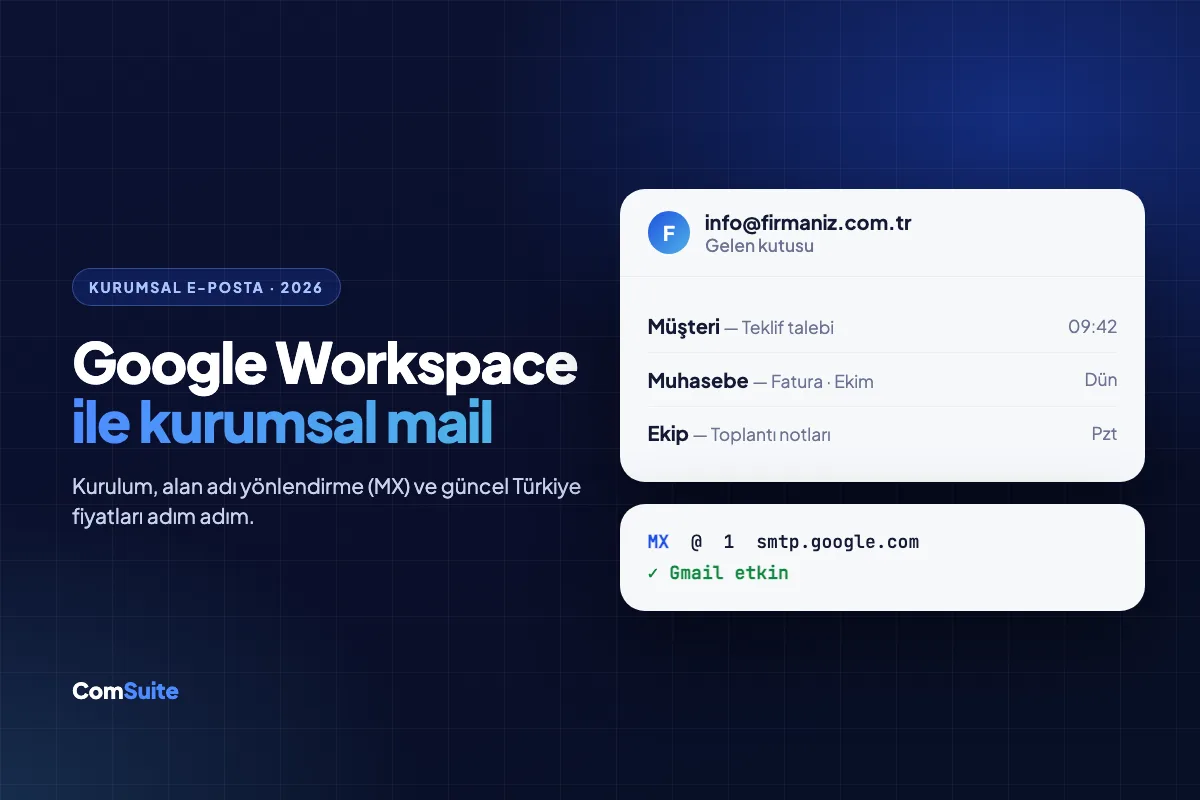
Short answer: Google Workspace is a paid business service that lets you use the Gmail interface with your own domain name (e.g., info@yourcompany.com.tr). Setup takes three steps: choose a plan and create your account, verify that you own the domain with a TXT record, and change your MX record to smtp.google.com (priority 1). As of October 2026, Turkey pricing on an annual commitment is ₺71.20 (Starter), ₺142.40 (Standard) and ₺223.70 (Plus) per user per month (excluding VAT).
Business email is an email address that uses your company's own domain name. Unlike an @gmail.com or @hotmail.com address, it builds trust with customers, the addresses stay with the company even when your team changes, and authentication methods like SPF/DKIM improve inbox delivery rates. Google Workspace provides these addresses together with Gmail's familiar interface, Drive, Meet and Calendar.
In this guide, we compare the plans and walk you through creating your account and pointing your domain to Google, step by step.
What is Google Workspace, and how is it different from free Gmail?
Free Gmail is for personal use; your address always ends in @gmail.com. Google Workspace is a paid plan designed for businesses, and it brings the following differences:
- Addresses on your own domain: such as name@yourcompany.com.tr, sales@, support@.
- Centralized management: Add and remove users, reset passwords and set security policies from the admin console.
- Company data stays with the company: When an employee leaves, you suspend their account and transfer their emails and files to someone else.
- Pooled storage: Per-user storage is combined into an organization-wide pool.
- Support and SLA: Business support and an uptime commitment that free accounts don't have.
- Gemini AI: An AI assistant inside Gmail, Docs and Meet, depending on the plan.
Google Workspace plans and pricing (2026)
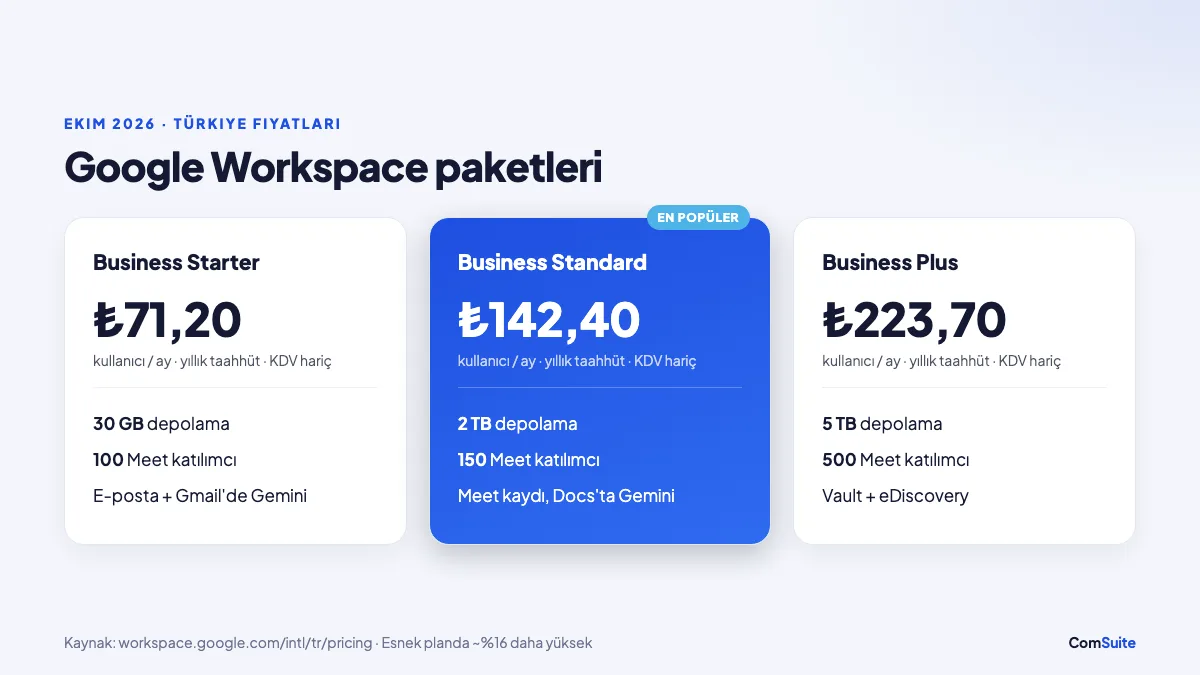
The prices below are taken from Google's Turkey pricing page (October 2026). Prices are per user per month, with a 1-year commitment, and exclude VAT. On the flexible (no-commitment) plan, prices are about 16% higher.
| Plan | Monthly price (annual commitment) | Storage (per user, pooled) | Meet participants | Highlights |
|---|---|---|---|---|
| Business Starter | ₺71.20 | 30 GB | 100 | Business email, Gemini in Gmail |
| Business Standard | ₺142.40 | 2 TB | 150 | Meeting recording, Gemini in Docs and Meet, email newsletters |
| Business Plus | ₺223.70 | 5 TB | 500 | Vault (archiving and retention), eDiscovery, advanced security |
| Enterprise | Custom quote | 5 TB+ | 1,000 | S/MIME encryption, advanced controls |
The user limit on Business plans is 300. Google offers periodic discounts to new customers; in October 2026, a 50% discount for the first few months and a 14-day free trial are showing. Because promotion terms can change, check the current price before you buy.
Which plan should I choose?
- A business of 1–10 people whose main need is email: Business Starter is enough. 30 GB lasts most offices for years.
- Heavy file sharing and a need to record meetings: Business Standard. 2 TB of storage and Meet recordings make a big difference.
- Industries with record-retention requirements, such as legal, healthcare and finance: Business Plus. With Vault, you can retain and search emails even after they've been deleted.
Tip: You don't have to create a separate user for every employee. You can add addresses like info@, sales@ and accounting@ to a single user as aliases, or distribute them to multiple people with free Google Groups. This lowers your licensing costs.
Google Workspace setup: Step by step
1. Create your account
Go to workspace.google.com and click "Get started". Enter your business name, number of employees and contact details. Then choose "I have a domain I can use" and enter your own domain name. If you don't have a domain, you can also buy one through Google at this step.
2. Set up the first admin account
The first user (e.g., name@yourcompany.com.tr) also becomes the super admin. Keep this account's password strong and turn on 2-step verification right away; this account is the key to all of your company's email.
3. Verify domain ownership (TXT record)
Google asks you to prove that the domain belongs to you. The admin console gives you a TXT record that starts with google-site-verification=.... Add this record to the DNS settings in the panel where you manage your domain (Natro, İsimtescil, GoDaddy, Cloudflare, etc.) and click **"Verify"** in the console. The record is recognized within a few minutes to a few hours.
How do you point your domain to Google? (MX record)
What gets emails delivered to Google is the MX (Mail Exchanger) record. You don't need to transfer your entire domain; your website stays where it is, and only your email traffic is routed to Google.
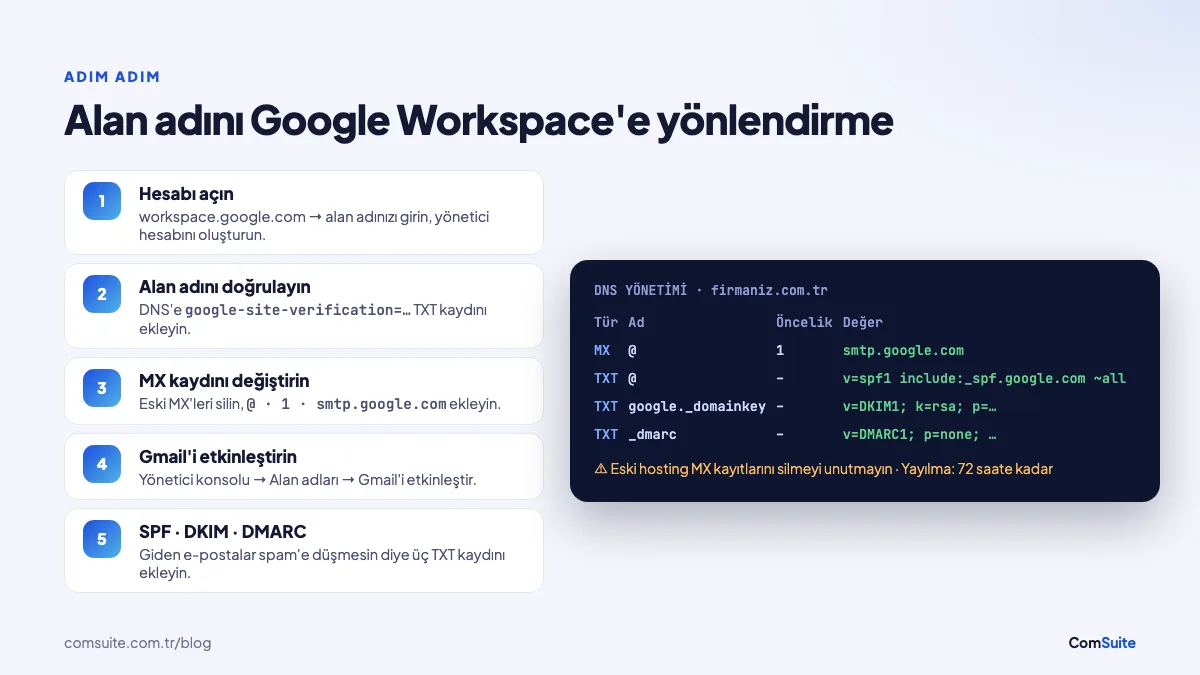
Google's current MX value is a single record:
| Field | Value |
|---|---|
| Type | MX |
| Name / Host | @ (or leave blank) |
| Priority | 1 |
| Destination / Value | smtp.google.com |
| TTL | Default (1 hour or shorter if allowed) |
Steps:
- Log in to the panel where you manage your domain and open DNS Management.
- Delete all existing MX records. If your hosting company's old mail server remains, emails will end up in mixed places.
- Add the new MX record with the values above and save. If your panel requires a trailing dot, enter
smtp.google.com. - In the Google Admin console, go to Domains > Manage domains and click **"Activate Gmail"**.
It can take up to 72 hours for the new MX record to be recognized everywhere; in most cases, emails start arriving in Gmail within a few hours. The older records starting with aspmx.l.google.com found in pre-2023 setups still work; if your email is running fine, you don't need to change them.
Must-dos after setup: SPF, DKIM, and DMARC
The MX record ensures emails are received; to keep your outgoing emails out of spam, you need three more authentication records:
- SPF:
v=spf1 include:_spf.google.com ~all(TXT record). It specifies who is allowed to send mail on behalf of your domain. - DKIM: In the Admin console, generate a key under Apps > Google Workspace > Gmail > Authenticate email and add it as a TXT record named
google._domainkey. - DMARC: A TXT record under the name
_dmarc, such asv=DMARC1; p=none; rua=mailto:dmarc@firmaniz.com.tr. Start by monitoring withp=none, then tighten the policy.
Since 2024, Gmail and Outlook have required these records from domains that send in bulk. For detailed setup instructions, check out our guide, why your emails land in spam: SPF, DKIM, and DMARC.
Migrating your old emails
To move over the emails in your existing hosting mailbox without losing any, use the Data migration tool in the Admin console. All folders are copied to Gmail using the old server's IMAP address and users' passwords. Don't cancel your old hosting plan until the migration is complete.
Using it on your phone and in Outlook
- Phone: In the Gmail app, choose "Add account > Google" and sign in with your business address.
- Outlook: You can sync email, calendar, and contacts with Google Workspace Sync for Microsoft Outlook (GWSMO).
Common mistakes
- Adding the new record without deleting the old MX records,
- Trying to activate Gmail without verifying the domain,
- Adding the SPF record as two separate TXT records (there should be only one SPF record; combine services with
include:), - Buying a separate license for every shared address (aliases and groups are free),
- Not turning on 2-step verification for the super admin account.
For the steps on connecting your domain to your website, you can read our domain connection guide.
Let us set up your business email for you. The ComSuite team creates your Google Workspace account, verifies your domain, configures your MX, SPF, DKIM, and DMARC records completely, and migrates your old emails. Contact us.
Frequently Asked Questions
How much does Google Workspace cost?
As of October 2026, monthly per-user prices in Turkey with an annual commitment are ₺71.20 for Business Starter, ₺142.40 for Business Standard, and ₺223.70 for Business Plus (excluding VAT). On the flexible (no-commitment) plan, prices are about 16% higher; seasonal discounts may apply for new customers.
What is the MX record for Google Workspace?
Google's current MX record is a single record: Name/Host @, priority 1, value smtp.google.com. All other MX records on the domain must be deleted before you add it.
How long does it take for an MX record change to take effect?
It can take up to 72 hours for the new MX record to be recognized. In most cases, emails start arriving in Google Workspace within a few hours.
Can I use Google Workspace without moving my website?
Yes. Only the MX and verification (TXT) records change; your website's A or CNAME records are left untouched, and your site keeps running where it is.
Do I have to pay separately for each email address?
No. You can add addresses like info@ or sales@ to a user as aliases, or route them to multiple people with Google Groups; these don't require additional licenses.
Can I try Google Workspace for free?
Yes. Google offers new customers a 14-day free trial. During the trial, you can verify your domain and set up your email.