For years, you've been introducing your website to search engines with robots.txt and a sitemap. But how do you introduce your site to AI bots? That's where a new but fast-growing standard comes in: llms.txt.
In this article, we explain what llms.txt is, why it has become important, and how you can add it to your own site step by step. It may sound technical, but the logic is quite simple — and most of your competitors haven't even heard of it yet. That makes it a low-competition, high-return opportunity.
What Is llms.txt?
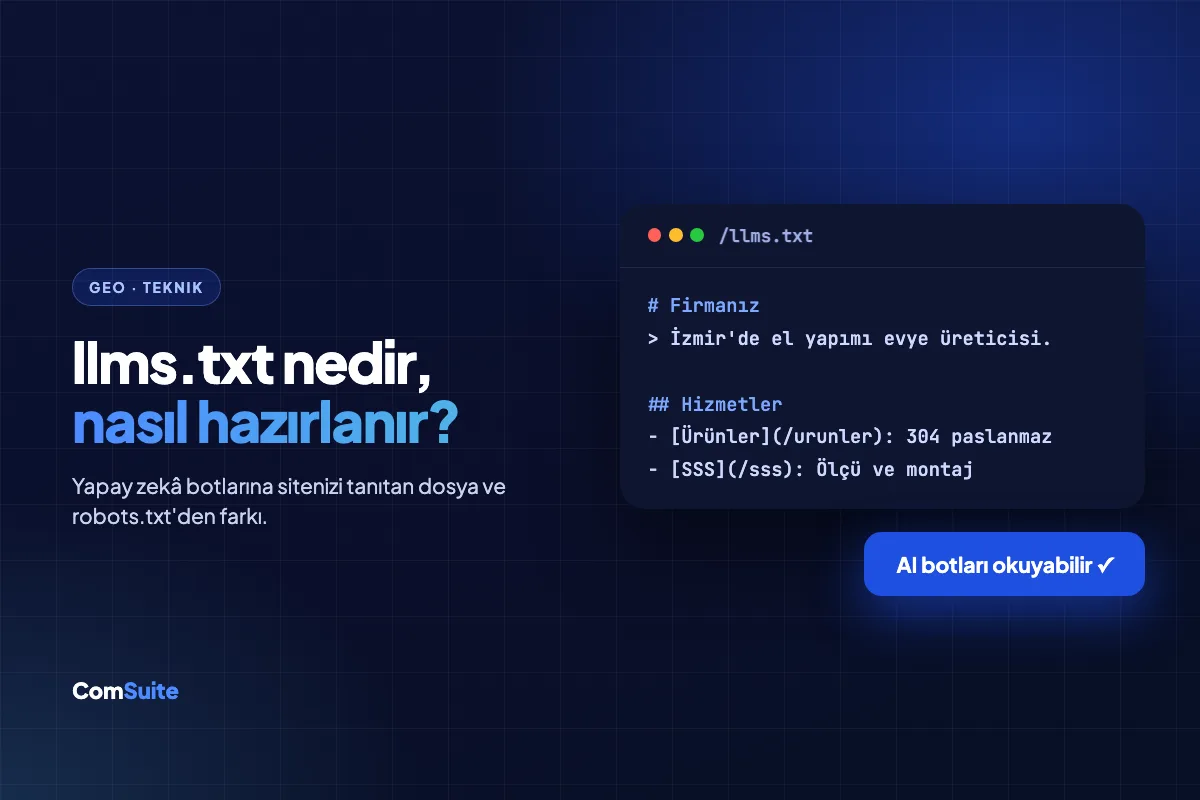
llms.txt is a plain text file placed in the root directory of your website (meaning it's accessible at yoursite.com/llms.txt). Its purpose is to present the most important content, structure, and context of your site to large language models (LLMs — such as ChatGPT, Gemini, Claude, and Perplexity) in a clean, readable format.
A website is full of menus, ads, scripts, and complex HTML. AI bots have to put in extra effort to filter out this clutter, and sometimes they miss the most important information. llms.txt solves exactly that: it offers a summary written directly for AI that says, "Here's my company, here's what I do, here are my most important pages."
The Difference Between llms.txt and robots.txt
The two are often confused, but they do different jobs:
- robots.txt is a permissions file: it says, "These bots can or can't access these pages." In other words, it's focused on blocking.
- llms.txt is an introduction file: it says, "Here's a summary of my content and my most valuable pages." In other words, it's focused on explaining.
In short, robots.txt manages the door, while llms.txt welcomes the guest into the right room.
Why It Matters Now
Customers now ask AI assistants directly when looking for products and services. And AI generates its answers from content on the web. If your site isn't structured in a way AI bots can easily understand, you won't appear in those answers at all — while your competitor does.
Visibility in AI (GEO — Generative Engine Optimization) is quickly becoming as fundamental a requirement as having a website. llms.txt is one of the most practical and lowest-cost first steps toward that visibility. Because very few sites use it yet, early adopters gain a clear advantage.
How to Create llms.txt Step by Step
The standard uses simple Markdown format. The basic structure looks like this:
- Title (H1): Your business or project name.
- Short summary: A description that starts with ">" and explains what you do in a sentence or two.
- Sections: Lists of links to your most important pages under H2 headings.
A simple example looks like this:
# Örnek Mobilya A.Ş.

> İzmir merkezli, ofis ve ev mobilyası üreten; özel tasarım ve toptan satış yapan bir üretici.

## Önemli Sayfalar
- [Hakkımızda](https://ornek.com/hakkimizda): Firma tarihçesi ve üretim kapasitesi
- [Ürünler](https://ornek.com/urunler): Ürün kataloğu ve özellikler
- [İletişim](https://ornek.com/iletisim): Adres, telefon ve çalışma saatleri

## Hizmetler
- Özel tasarım mobilya üretimi
- Toptan ve proje bazlı satış
Once the file is ready, upload it to your site's root directory as llms.txt and verify that it's accessible at yoursite.com/llms.txt. That's all there is to it.
Tips for a Good llms.txt
- Keep it simple: Use clear, factual information rather than marketing language. AI likes facts, not hype.
- Put your most valuable pages first: Product, service, about, and contact pages take priority.
- Keep it current: Whenever you add a new service or page, update the file too.
- Back it up with structured content: llms.txt doesn't work magic on its own; the content on your site needs to be clean and up to date as well.
How to Automate It
Creating an llms.txt file isn't hard, but keeping it up to date and making the rest of your site AI-friendly is an ongoing job. Your menus change, you add new pages, your services evolve. Updating the file by hand every time is something that gets forgotten in practice.
ComSuite's website infrastructure automatically manages your llms.txt file and your AI accessibility. As your site grows, your file updates itself; you focus on content, and the system handles the technical details. What's more, SEO & GEO Autopilot continuously crawls your site, identifies what's missing for AI bots, and fixes it.
Summary
llms.txt is a new standard that introduces your website to AI bots directly and simply. While robots.txt blocks, llms.txt explains. It takes minutes to set up, yet it makes a real difference in AI visibility — especially while most of your competitors aren't using it yet.
If you're curious how your brand currently appears in AI search, you can find out in seconds with the free Visibility Test. To explore every way to become visible in AI, check out GEO Hub.