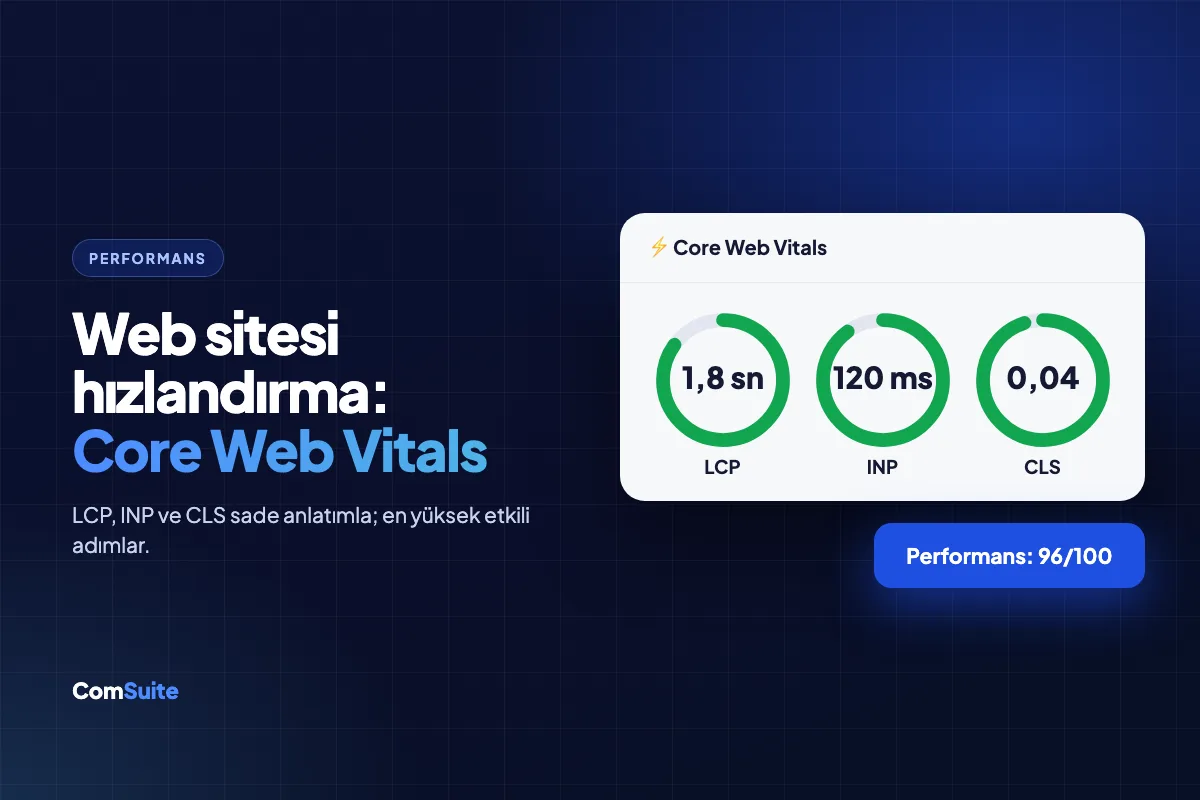
Website speed is a performance indicator that directly affects both your Google rankings and your sales. A slow-loading site loses a significant share of visitors before any content even appears, while Google measures page experience with three metrics called Core Web Vitals and uses them as a ranking signal. The good news: on most sites, the cause of speed problems is a handful of well-known mistakes, and you can achieve major improvements with steps that require no technical expertise.
In this guide, we explain the Core Web Vitals metrics in plain language, show you how to measure your speed, and rank the optimization steps starting with the highest impact.
Why Is Speed So Critical?
It can cost you or win you ground on three fronts:
- Visitor behavior: As load time increases, bounce rates multiply. On mobile, a delay of just a few seconds can mean a potential customer heading to your competitor.
- SEO: Page experience is one of Google's ranking signals. Slow sites are also crawled less often, so your new content gets indexed later.
- Conversion: There is a direct relationship between speed and form submissions, calls, and purchase rates. Getting more customers from the same traffic is often possible with nothing more than a faster site.
Core Web Vitals: Three Metrics, Explained Simply
| Metric | What Does It Measure? | Good Value | Everyday Equivalent |
|---|---|---|---|
| LCP (Largest Contentful Paint) | How long it takes for the largest element on the page (usually the main image/heading) to appear | ≤ 2.5 sec | "When did the site finally open?" feeling |
| INP (Interaction to Next Paint) | How quickly the page responds to clicks and taps | ≤ 200 ms | "I pressed the button, did it respond?" |
| CLS (Cumulative Layout Shift) | How much elements shift around while the page loads | ≤ 0.1 | "Just as I was about to click, the button moved!" |
Google collects these three values from real user data. In other words, looking good in a lab test isn't enough; what counts is the experience on your visitors' actual devices.
Step 0: Measure First
Enter your site's address into PageSpeed Insights (pagespeed.web.dev). You'll get separate scores for mobile and desktop, the status of all three metrics, and a prioritized list of recommendations. If you use Search Console, the "Core Web Vitals" report shows problematic page groups based on real user data. To see your site's overall health, including speed, at a glance, you can also use the free Website Health Tool.
Highest-Impact Speed Optimization Steps
1. Optimize your images (the biggest win on most sites)
5 MB photos taken with a phone and uploaded as-is are the number one cause of slowness:
- Convert images to WebP format; same quality, much smaller file.
- Upload them at the size they'll be displayed: don't serve a 4000-pixel photo in a 400-pixel space.
- Use lazy loading: images outside the screen load as the user scrolls.
- Don't delay the main (hero) image, though — it determines your LCP.
2. Get rid of unnecessary code and plugin bloat
Every plugin, theme feature, and third-party script (chat bubble, analytics, pixel, map) adds extra load to your page. Remove what you don't use, and make sure the rest load asynchronously. The main source of INP problems is a crowd of scripts blocking the main thread.
3. Turn on caching
Caching means storing a ready-made copy of a page and serving it without regenerating it every time. When browser caching and server-side caching are used together, the site opens almost instantly for returning visitors.
4. Use a CDN
A CDN (content delivery network) copies your site's static files to different servers around the world and in Turkey, serving them from the point closest to the visitor. It makes a real difference for image-heavy sites and for exporters who also receive visits from abroad.
5. Question the quality of your hosting
If your server's initial response time (TTFB) is slow, your site won't get faster no matter what else you add. Cheap shared hosting that suffers from overcrowding is a typical culprit. If you see a "reduce server response time" warning in PageSpeed, the problem most likely lies here.
6. Fix layout shifts (CLS)
Define width/height values for images, reserve fixed space for ad and banner areas, and prevent custom fonts from making text jump while loading. CLS fixes are small touches, but they noticeably improve the user experience.
Note: On platforms like Wix and WordPress, you need to manage most of these optimizations manually or with plugins; with ready-made SaaS website builders, WebP conversion, caching, and CDN come built into the infrastructure. We examined the impact of platform choice on speed in detail in our Wix vs. WordPress comparison.
7. Lighten your fonts
Custom web fonts are a silent source of load. Load only the weights you need from the font family you use (Regular and Bold are enough for most sites), prefer the modern WOFF2 format, and use font-display: swap so a system font shows until your fonts finish loading. That way visitors don't stare at a blank text area, and CLS jumps are reduced too.
8. Keep videos and embedded content under control
Putting an autoplaying background video on your home page is the surest way to ruin your LCP. If you're going to use video, present it with a cover image and load it on click. YouTube embeds, map embeds, and social media widgets are similarly heavy; delay their loading with the "facade" technique (a static preview first, the real embed on click).
Mobile First: Look at Your Score from the Right Angle
Google indexes and evaluates your site through its mobile version, and most of your visitors are on their phones anyway. That's why the score to watch in PageSpeed is the mobile score — scoring 95 on desktop while stuck at 40 on mobile is a common and deceptive picture. Typical causes of a low mobile score: oversized images prepared for desktop being sent to phones as-is, script loads that delay touch interaction, and servers that can't handle the latency of mobile networks. Don't test only on your office Wi-Fi; test on mobile data now and then, because that's your customer's reality.
The Hidden Return on Speed: Your Ad Costs
If you use Google Ads, speed affects your ad budget too: landing page experience is one of the three main components of Quality Score. A slow landing page lowers your Quality Score, and a low Quality Score means a higher cost per click for the same position. In other words, a slow site bills you twice, in both organic and paid traffic. It's no surprise that businesses that speed up their sites often see their cost per click drop on the ad side.
Example Scenario: How a Typical SMB Site Gets Faster
Let's make it concrete: a furniture manufacturer's site takes 8 seconds to load on mobile and has a PageSpeed score of 35. The audit shows that each of the 40 photos in the product gallery is 3-6 MB, the page has three separate chat plugins and two analytics codes, and the hosting is the cheapest shared plan. Here's what was done, in order: all images were converted to WebP and scaled to a maximum of 1600 pixels (page weight dropped from 60 MB to 4 MB), two unused chat plugins were removed, lazy loading was enabled, and the site was moved to an infrastructure with caching + CDN built in. The result: the mobile score rose from 35 to 85, load time fell from 8 seconds to under 2 seconds — and the quote form completion rate noticeably increased. None of these steps requires software engineering; a systematic checklist is enough.
Speed and GEO: AI Bots Are Impatient, Too
A little-known fact: it's not just humans, AI crawlers also struggle with slow sites. AI bots that browse the web while generating answers may read pages that respond late or load in a complicated way only partially, or skip them altogether. Content delivered with fast, clean, semantic HTML is common ground for both Google and AI visibility (GEO). Your speed investment works for two channels at once.
Lab Data vs. Field Data
In a PageSpeed report you'll see two separate sections, and they sometimes contradict each other. Lab data (the Lighthouse score) is an instant measurement of your page on a standard test device under controlled conditions — it's excellent for diagnosis because it shows, line by line, which resource slows things down and by how much. Field data (the Chrome User Experience Report) is the real experience of your actual visitors over the past 28 days — this is the data Google considers for rankings. You can score 90 in the lab and still see "needs improvement" in the field; this usually indicates that your visitors use older devices or weak mobile connections. The right way to read it: use the field as your target and the lab as your compass.
Speed Checklist
- I measured the mobile score in PageSpeed Insights
- All images are WebP and correctly sized
- Lazy loading is on for offscreen images
- No unused plugins/scripts remain
- Caching and CDN are active
- Server response time is reasonable (no TTFB warning)
- Dimensions are defined for image and banner areas (CLS ≤ 0.1)
- Re-testing every three months is on the calendar
Conclusion: Speed Isn't a Feature, It's the Foundation
No matter how good your content is, it can't create value on a slow site. The combination of image optimization, clean code, caching and solid infrastructure sends the same message to your visitors, to Google and to AI bots alike: this site is to be taken seriously. You can measure your site's current speed and health with our free tool; and if you're thinking of moving to a platform where speed, SEO and GEO come built into the infrastructure, check out the ComSuite Website Builder.