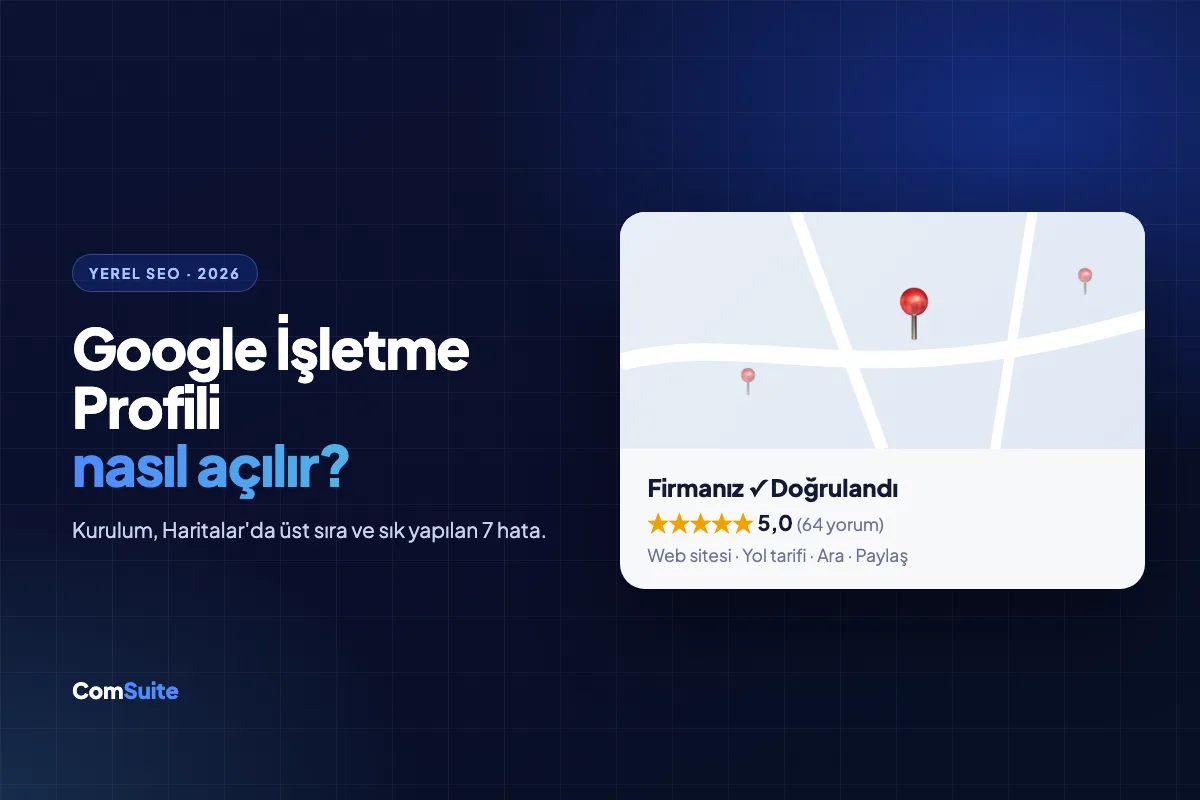
"Dental clinic near me," "Kadıköy cafe," "emergency locksmith" — nearly all of these searches open with a map box on Google, and that box shows only 3 businesses. If you're not one of those three, customers will be calling your competitor before they ever see you.
In this guide, we walk you step by step through creating and verifying your Google Business Profile (formerly Google My Business) from scratch, and moving it up in map results.
What Is a Google Business Profile?
A Google Business Profile is your business's free storefront on Google Search and Google Maps: your address, business hours, phone number, photos, reviews, product/service list, and website link all live here. Any business with a physical address, or one that serves a specific area (like plumbers and movers), can create a profile.
Step-by-Step Setup
1. Create or claim your profile
Search for your business name on Google. For most businesses, Google has already created a listing automatically; claim it using the "Own this business?" link. If there isn't one, create a new profile at business.google.com.
2. Enter your business name correctly
Use only your real business name. Names stuffed with keywords, like "Ahmet Usta Auto Service - Cheapest Auto Repair Istanbul," get suspended by Google.
3. Choose the right category
Category is the strongest signal for local rankings. Your primary category should describe exactly what you do ("Dental clinic," "Real estate agency"); additional categories should cover your secondary services. Check which categories your competitors use.
4. Address and service area
If you have a location where you receive customers, enter the address. If you go to your customers (cleaning, renovation, moving), hide the address and define your service areas by district.
5. Verification
To verify ownership, Google typically offers one of these methods: video verification (you're asked to film your storefront sign, interior, and equipment), phone/SMS, email, or a code by mail. In 2026, video verification is the most common method; make sure your sign and address are clearly visible.
6. Complete your profile
Business hours (including holiday hours), phone number, website, description (750 characters, with the first 250 being critical), service list, products, booking link, accessibility, and payment details. Profiles with missing fields fall behind complete ones.
8 Ways to Rank Higher on Google Maps
Google ranks local results based on three factors: relevance (category and content), distance (proximity to the searcher), and prominence (reviews, links, website authority). You can't change distance, but you can strengthen the other two with these steps:
1. Collect reviews — and respond to them
Review count, average rating, and review freshness directly affect your ranking. After every transaction, send a short review link (QR code, WhatsApp message). Respond to every review, including negative ones, within 24 hours. When review text mentions your service ("I came in for an implant"), it creates an additional relevance signal.
2. Add at least one photo a week
Profiles that add photos get more direction requests and clicks. Show your exterior, interior, team, and examples of your work; real photos taken with a phone work better than stock images.
3. Use Google Posts
Weekly posts about promotions, new services, or events show that your profile is active. Posting regularly once every 7 days is enough.
4. Fill in the Q&A section yourself
Ask and answer questions like "Is there parking?" and "Do I need an appointment?" yourself. If you leave the section empty, others will fill it in.
5. NAP consistency
Your name, address, and phone number (NAP) must be exactly the same across your website, social media, Yandex Maps, Apple Maps, and directory sites. Even a difference between "Cad." and "Caddesi" counts as an inconsistency.
6. Get your website ready for local SEO
No matter how strong your profile is, the authority of the linked website determines your ranking. Your site should have:
- Your address, phone number, and an embedded Google Map on the contact page
- A separate page for each service (neighborhood + service titles, like "Implant treatment in Kadıköy")
LocalBusinessschema markup- Load times under 3 seconds on mobile
7. Earn local links
Links from your chamber of commerce, neighborhood news sites, suppliers, and events you sponsor increase your local authority.
8. Turn on messaging and booking
Enable the WhatsApp/messaging and booking buttons on your profile. Letting customers contact you without visiting your site increases conversions, and Google tracks these interactions too.
7 Common Mistakes
- Adding keywords to your business name (the #1 reason for suspension)
- Choosing the wrong or an overly generic category
- Buying fake reviews (Google detects them and can shut down your profile)
- Not updating business hours (so you don't appear closed on holidays)
- Creating multiple profiles for the same business
- Ignoring negative reviews
- Creating a profile and never logging in again — inactive profiles lose rankings
Measure Your Profile Performance
In your profile dashboard, Google's "Performance" tab shows how many people viewed your profile, which searches brought them in, how many requested directions, how many called, and how many clicked through to your website. Record this data once a month, and carry the top search terms over to the page titles on your website.
AI Search and Local Businesses
In 2026, a question like "recommend a good physical therapist near me" is no longer asked only on Google, but on ChatGPT and Gemini too. These tools build their answers largely from Google Business Profile data, reviews, and the structured content on your website. In other words, a strong profile is also the foundation of your AI visibility (GEO). You can check whether your brand appears in AI answers with our free GEO analysis tool.
For businesses that want to run local SEO together with their website and GEO, ComSuite's Plus Enterprise plan includes local SEO and Google rank tracking; you can explore ready-made site structures tailored to your industry on the solutions page.