What Is Free Website Building?
Free website building is the process of creating an online presence without paying any fees. Free website creation is a method that lets users design their own websites using ready-made templates and drag-and-drop tools, with no coding knowledge required. As of 2026, dozens of platforms are available in this space, and most of them don't charge anything for basic features.
This approach is especially convenient for entrepreneurs, students, small businesses, and individual bloggers. You can launch your own website on a zero budget, then move to paid plans as your needs grow.
Advantages of Building a Free Website
- No cost: No investment is needed to get started; free website plans cover basic page-building needs.
- No coding required: Thanks to ready-made templates and visual editors, even users with no technical background can easily build their site.
- Quick start: On most platforms, you can have a live website within minutes of signing up.
- Room to experiment: You can test different design and content strategies without taking any risk.
- Social media integration: The vast majority of free tools support social media links and share buttons.
Disadvantages of Building a Free Website
- Subdomain requirement: Free plans usually use an address that includes the platform's brand, such as "yoursite.wix.com"; a custom domain name costs extra.
- Ads: Some platforms display their own ads on your site on free plans.
- Limited storage and bandwidth: Most free plans offer between 500 MB and 1 GB of storage, which may fall short for high-traffic sites.
- Restricted SEO tools: Advanced search engine optimization features are mostly reserved for paid plans.
- Support limitations: Free users generally don't get priority customer support.
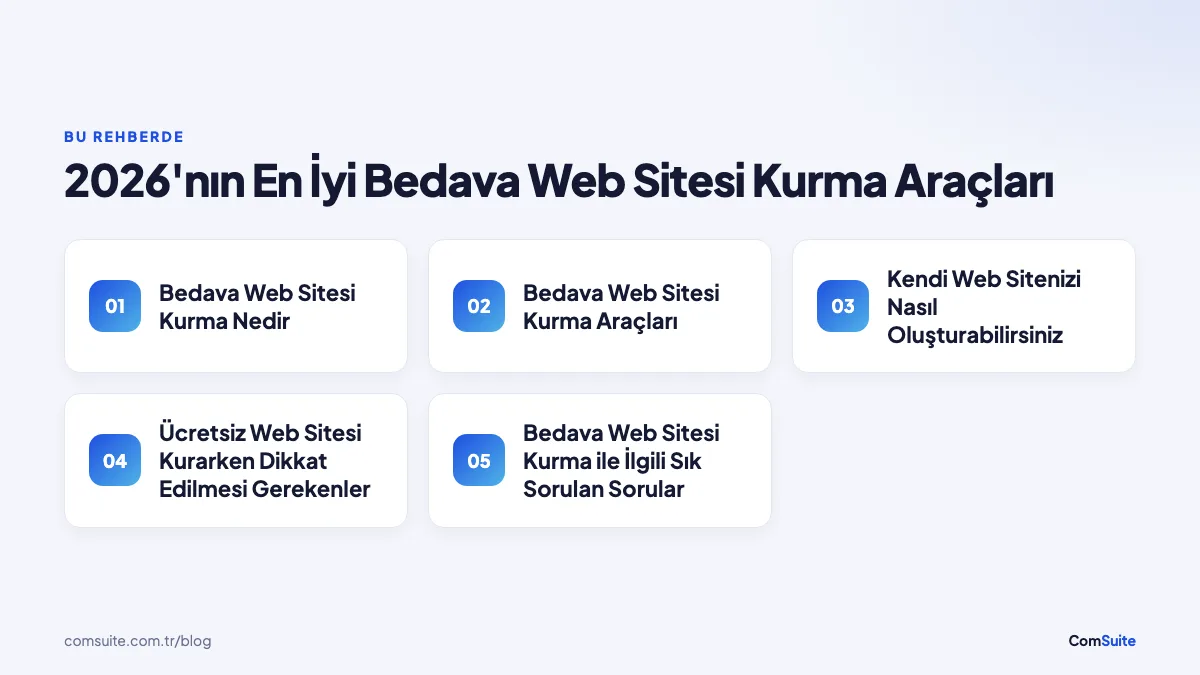
Free Website Building Tools
In 2026, there are plenty of platforms that help users build a website for free. These tools differ in ease of use, design flexibility, and the features they offer.
The Best Free Website Builders
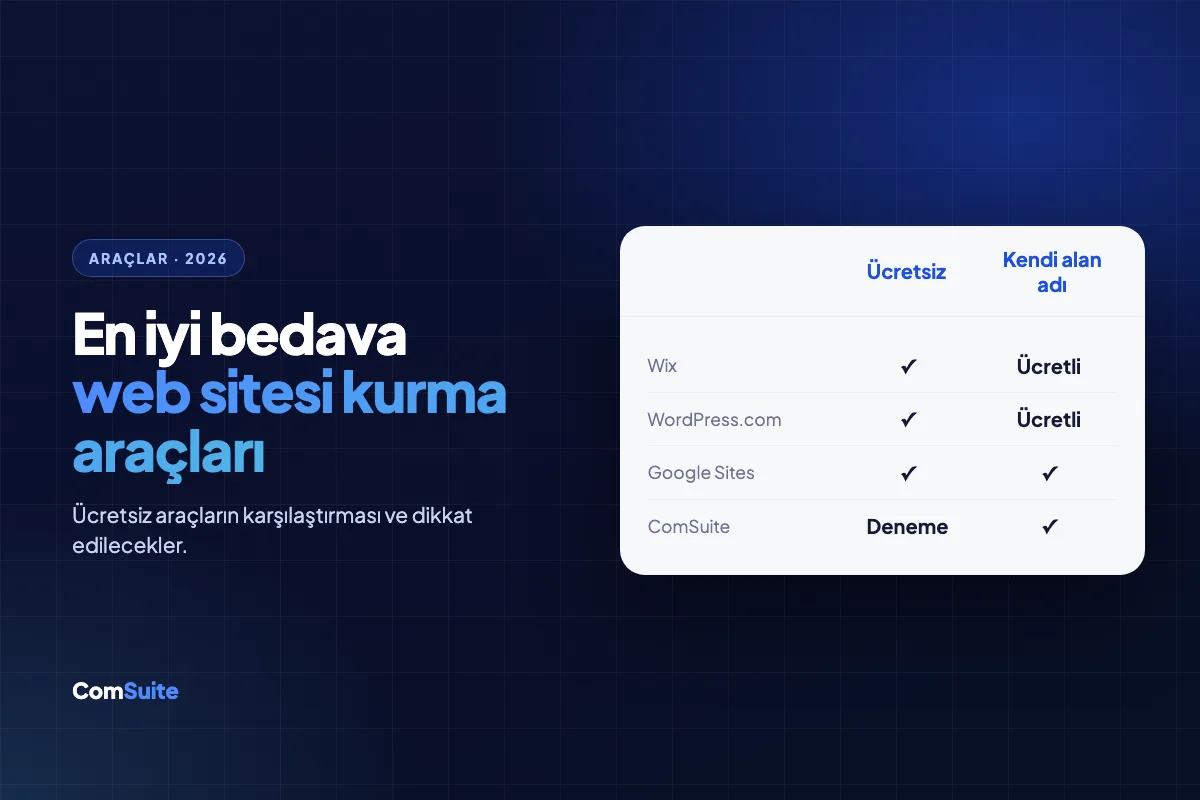
| Platform | Free Storage | Custom Domain | Ads | Key Feature |
|---|---|---|---|---|
| Wix | 500 MB | No | Yes | 800+ ready-made templates, drag-and-drop editor |
| WordPress.com | 1 GB | No | Yes | Powerful blogging infrastructure, extensive plugin ecosystem |
| Weebly | 500 MB | No | Yes | Easy e-commerce integration |
| Google Sites | 15 GB (Google Drive) | No | No | Google Workspace integration, ad-free |
| Webnode | 100 MB | No | Yes | Multilingual site support |
All of the platforms above are a good fit for users who want to create a free website without any coding knowledge. Which tool you choose depends on your site's purpose, expected traffic volume, and design requirements.
User-Friendly Design Tools
You don't have to rely on website builders alone to create your site's visual identity. The following free tools can make the design process easier:
- Canva: Offering thousands of templates on its free plan, this tool is ideal for creating banners, logos, and social media graphics.
- Figma (free plan): A professional tool favored for user interface design and prototyping.
- Unsplash and Pexels: High-resolution stock photo platforms whose images can be used without copyright concerns.
- Google Fonts: You can use Google's free font library to add distinctive, readable typography to your website.
How to Build Your Own Website
Building your own website is a fairly easy process when you follow the right steps. You can use the guide below to create a professional-looking site with free tools.
Step-by-Step Guide to Building a Free Website
Step 1: Define Your Goal
Get clear on what your site will be used for. Different goals, such as a blog, a portfolio, a small business showcase, or e-commerce, call for different platform choices.
Step 2: Choose the Right Platform
Use the comparison table above as a reference and pick the free website builder that best fits your needs. WordPress.com is a good starting point for a blog-focused site, while Wix works well for a visual-heavy portfolio.
Step 3: Sign Up and Pick a Template
Sign up on your chosen platform with your email address. Then select a ready-made template that suits your site's purpose. Ready-made templates significantly shorten the design process and require no coding knowledge.
Step 4: Add Your Content
Create the core pages such as Home, About, Contact, and Services. Write clear, original, user-focused copy for every page. For visuals, use royalty-free image platforms.
Step 5: Customize the Design
Align elements like your color palette, fonts, and logo with your brand identity. Be sure to check your site's mobile responsiveness; given Google's mobile-first indexing policy, this step is critical.
Step 6: Publish Your Site
Once you've finished all your content and design settings, publish your site. On a free plan, your site goes live on the platform's subdomain; later on, you can boost your professional image by getting a custom domain name.
What to Keep in Mind When Building a Free Website
Paying attention to a few key points while building a free website helps you get better results in the long run. If you want your site to be visible in search engines in particular, you should focus on the following elements.
Tips for Building an SEO-Friendly Website
SEO (Search Engine Optimization) is the set of technical and content practices that help your site rank higher in search engines like Google. Even on free platforms, it's possible to achieve basic SEO compliance.
- Page titles and meta descriptions: Every page should have a unique title and description. Google Search Central guidelines recommend keeping title length between 50 and 60 characters.
- Mobile responsiveness: Because of Google's mobile-first indexing policy, your site must display properly on all screen sizes.
- Page load speed: According to Web Vitals metrics, a page loading in under 2.5 seconds is considered ideal. You can improve load time by compressing large images.
- HTTPS security: The vast majority of free platforms offer an SSL certificate; make sure your site starts with "https://".
- Internal linking structure: Build logical links between pages to improve both user experience and search engine crawl efficiency.
- Original content: Choose original, value-adding copy over duplicated or AI-generated content.
- Social media sharing buttons: Social media integration helps your content reach wider audiences and indirectly contributes to your site's authority.
Although access to advanced SEO tools is limited on free platforms, you can connect Google Search Console for free to monitor your site's performance and identify indexing issues.
Frequently Asked Questions About Building a Free Website
Which tools can be used to build a free website?
As of 2026, Wix, WordPress.com, Weebly, Google Sites, and Webnode are among the most widely used free website builders. Since each has different strengths, we recommend choosing based on your goal.
Which platforms offer free websites?
All of the platforms listed above offer a free plan. In addition, alternatives like Jimdo and Site123 also stand out with their free starter options.
What should the design look like when building a free website?
The design should be clean, readable, and consistent with your brand identity. Ready-made templates offer a good starting point, but you should customize the colors, fonts, and images so your site gets a unique identity. Mobile responsiveness is also a critical element that shouldn't be overlooked during the design stage.
Is it possible to make money with a free website?
On free plans, ad display and e-commerce features are usually limited. If you aim to make money, it's best to upgrade to a paid plan or consider open-source solutions like WordPress.org that you can host on your own server.
Can you build a free website without knowing how to code?
Yes. Almost all of today's free website builders offer visual editors that require no coding knowledge. Thanks to their drag-and-drop interfaces, you can create a professional-looking website without any technical background.
Frequently Asked Questions
What are the free website builders?
Free website builders include platforms such as Wix, Weebly, WordPress.com, Jimdo, and Google Sites.
Can I build a professional site with a free website builder?
Yes, you can create professional-looking sites with free website builders, although there may be some limitations and ads.
How safe are free website builders?
Popular free website builders are generally safe, but it's important to pay attention to your data security and read the privacy policies.
Are free website builders SEO-friendly?
Many free website builders offer basic SEO features, but you may need to upgrade to a premium plan for full SEO optimization.
What types of sites can I build with free website builders?
You can build many types of sites, including blogs, portfolios, business sites, e-commerce sites, and personal websites.
Can I get a domain name with a free website builder?
Free website builders usually offer a subdomain; to get a custom domain name, you typically need to choose a paid plan.